
NEED HELP?
Call us 021 621 595
Call us 021 621 595

Your mobile phone can quietly hold life saving information that emergency services know how to look for. When set up correctly, it can show your medical conditions and emergency contacts even if your phone is locked.
But phones are not always accessible in an emergency. That is why the safest approach is to combine phone based emergency information with a visible medical ID bracelet or necklace.
This guide shows you how to set up emergency information on your phone, how to check it if you find someone who needs help, and why wearing a medical ID still matters.
In an emergency you may not be able to speak for yourself. You might be unconscious, confused, or in distress.
Emergency responders are trained to look for clear medical information because it helps them:
• Identify you quickly
• Understand serious medical conditions
• Avoid allergens or medication reactions
• Contact your loved ones sooner
Even a few seconds of clarity can change outcomes.
iPhones have a built in Medical ID feature that can be accessed from the lock screen if it has been enabled.
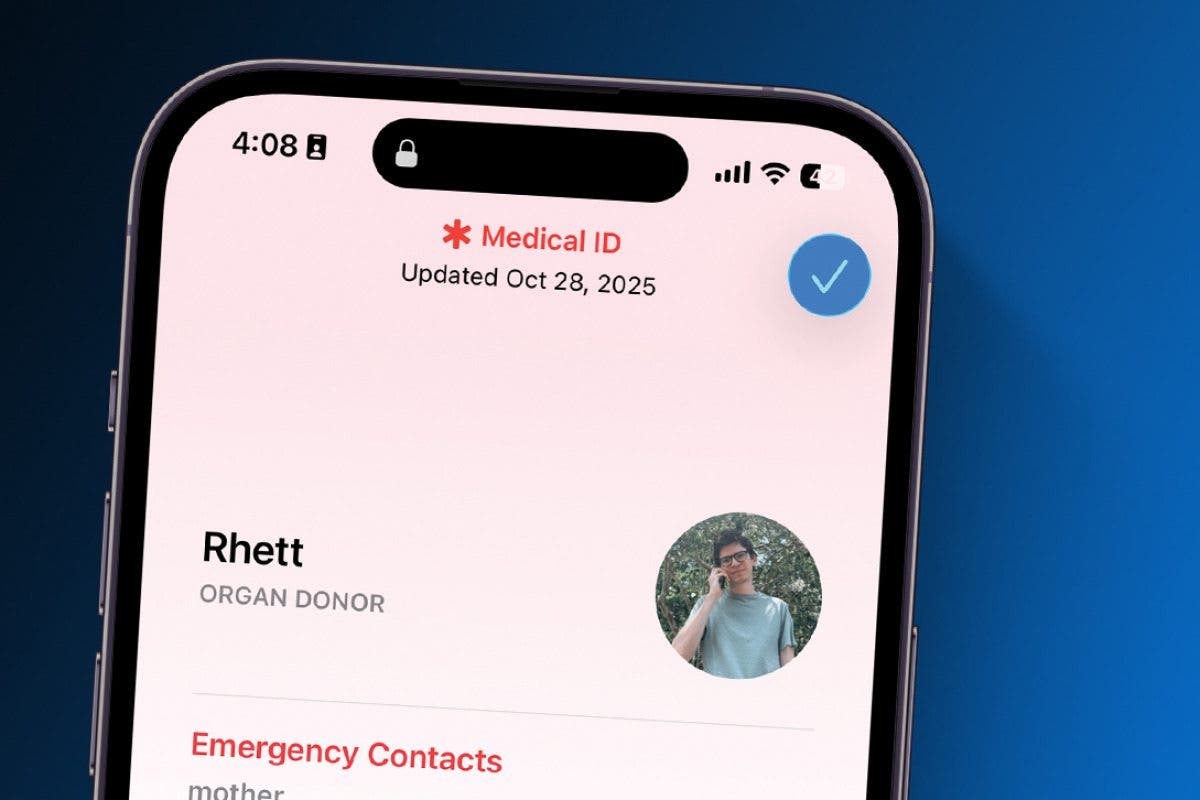
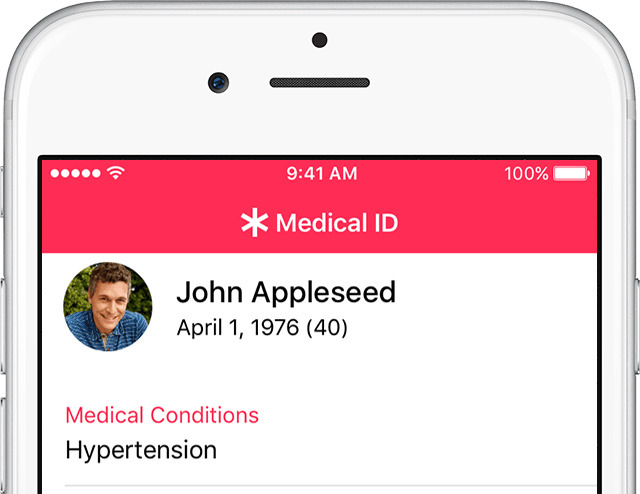
Open the Health app
Tap your profile photo in the top right
Tap Medical ID
Tap Edit
Add your details including
• Full name
• Date of birth
• Medical conditions
• Allergies
• Medications
• Emergency contacts
Scroll down and turn on Show When Locked
Tap Done
This step is essential. Without Show When Locked turned on, your information cannot be seen in an emergency.
You do not need the phone unlocked.
Wake the phone by pressing the side button
Swipe up on the lock screen
Tap Emergency
Tap Medical ID
Medical details will appear if they have been set up
If nothing appears, it usually means the owner has not enabled this feature.
Most modern Android phones include emergency information that can be accessed from the lock screen.
Open Settings
Search for Emergency Information or Safety and Emergency
Tap Medical Information
Add key details such as
• Name
• Medical conditions
• Allergies
• Medications
Add emergency contacts
Ensure the information is visible from the lock screen
The wording may vary slightly depending on the phone brand, but the process is very similar across Android devices.
Wake the phone using the power button
Tap Emergency on the lock screen
Look for Emergency Information or Medical Information
Tap to view the details
If no information appears, the owner may not have added or enabled it.
If you come across someone who appears unwell or unconscious, always call emergency services first.
While waiting for help to arrive, there are a few safe things you can check.
Look for a visible medical ID bracelet or necklace. These are designed to be noticed quickly and usually show medical conditions, allergies, and an emergency contact.
If their phone is nearby, check the lock screen for Emergency or Medical ID information as outlined above.
If you find any medical details, share them with emergency services as soon as possible. Even small pieces of information can help responders act faster and more safely.
Keep it clear and easy to read. In emergencies, simplicity matters.
We recommend including
• Your full name
• Major medical conditions
• Severe allergies
• Essential medications
• One or two emergency contacts
This is exactly the information first responders look for first.
Phones are helpful but they are not guaranteed.
Phones can be flat, damaged, lost, or separated from you. Not everyone has their emergency information set up correctly. In a high stress situation, responders may not have time to search for a phone.
That is why visible medical ID jewellery plays such an important role.
A medical ID does not rely on technology. It is visible, immediate, and designed to be seen first.
My Identity medical ID jewellery is engraved with critical information such as
• Medical conditions and allergies
• An emergency contact
• Your New Zealand NHI number or Australian equivalent
It is worn on your body at all times, whether your phone is nearby or not.
Your phone provides extra detail.
Your medical ID provides instant awareness.
Together, they give emergency services the clearest picture possible.
For the best protection
• Add your emergency and medical details to your phone
• Wear a medical ID bracelet or necklace every day
• Keep both updated if your details change
This combination ensures you are never relying on just one system.
Taking a few minutes to set up your phone and wearing a medical ID is a small step that can make a very big difference.
It helps emergency services act faster.
It helps loved ones be contacted sooner.
And it gives you confidence that your information is always available.
That is exactly why My Identity exists.


